Lok Sewa Computer Operator Practical Exam Guide 2083
Computer Operator practical exam: 50 marks, 45 minutes, pass mark 25. See all 7 tasks, typing speed tips and a 4-week practice plan.
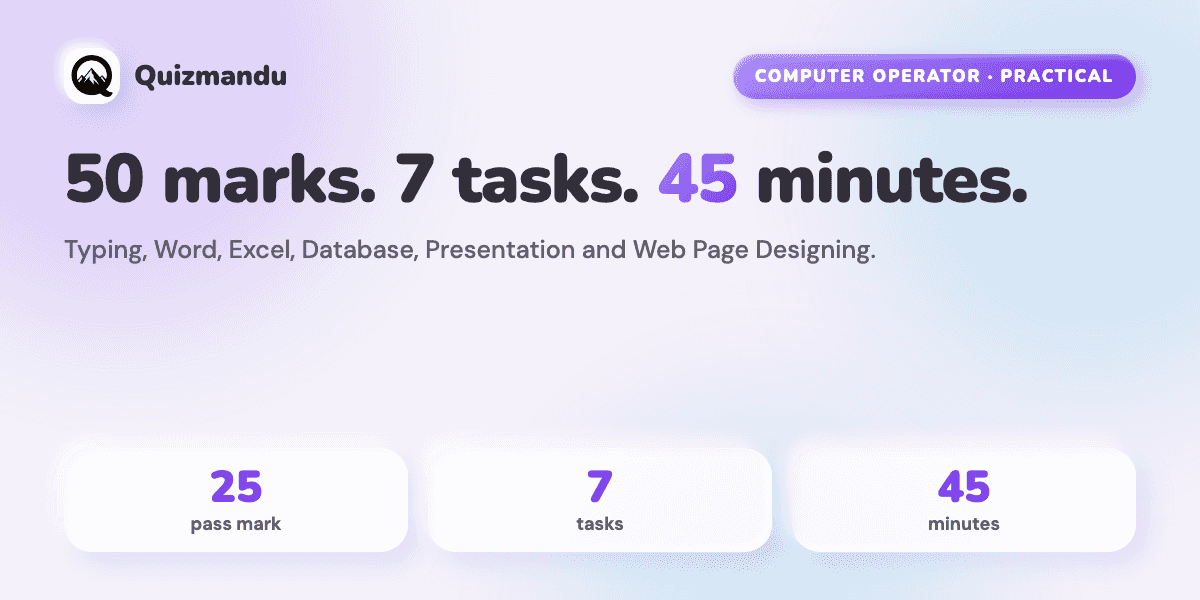
The Lok Sewa Computer Operator practical exam (प्रयोगात्मक परीक्षा) is worth 50 marks. You get 45 minutes. You need 25 marks to pass. There are 7 tasks: Nepali typing, English typing, Word, Excel, Database, Presentation and Web Page Designing.
After the written papers, many students feel nervous about this test. That is normal. It is a hands-on test on a real computer, so reading alone is not enough. You must practice.
Some people call this test the "computer skill test" (कम्प्युटर सीप परीक्षण). The PSC syllabus calls it the practical examination. This guide uses the official PSC syllabus, which is effective from 2080/10/22 BS. It explains each task in simple English, covers typing speed and how to measure it, shows how to use your 45 minutes, and gives a 4-week practice plan.
Computer Operator Practical Exam: Quick Facts
| Item | Detail |
|---|---|
| Post | Computer Operator, Non-Gazetted First Class, Nepal Miscellaneous Service |
| Full marks | 50 |
| Pass marks | 25 |
| Time | 45 minutes |
| Number of tasks | 7 |
| Who can sit | Candidates who pass Stage I (Paper I and Paper II, minimum 40 marks in each) |
| Stage II total | Practical (50 marks) + Interview (30 marks) = 80 marks |
| Full exam total | 280 marks |
You can read the full exam pattern in our Computer Operator syllabus guide or on the Computer Operator exam page.
The 7 Tasks: Marks and Time
Here is the official table from the PSC syllabus.
| No. | Task | Marks | Time |
|---|---|---|---|
| 1 | Devanagari (Nepali) Typing | 5 | 5 minutes |
| 2 | English Typing | 5 | 5 minutes |
| 3 | Word Processing | 12 | 35 minutes shared across tasks 3 to 7 |
| 4 | Electronic Spreadsheet (Excel) | 12 | |
| 5 | Database Management System | 6 | |
| 6 | Presentation System | 5 | |
| 7 | Web Page Designing | 5 | |
| Total | 50 | 45 minutes |
Two things are easy to miss:
- Typing is only 10 marks, but each typing test has its own 5-minute limit.
- Tasks 3 to 7 share 35 minutes. You decide how to split that time.
The official table does not include email or internet tasks. Some websites list them for other posts. For Computer Operator, follow the PSC table above.
How to Plan Your 35 Minutes
This is our suggestion, not an official rule. Give more time to tasks with more marks.
| Task | Marks | Suggested time |
|---|---|---|
| Word Processing | 12 | 10 minutes |
| Electronic Spreadsheet | 12 | 10 minutes |
| Database | 6 | 5 minutes |
| Presentation | 5 | 5 minutes |
| Web Page Designing | 5 | 5 minutes |
If one task takes too long, save your work and move on. You can come back if time is left. Always follow the invigilator's instructions in the exam hall.
How to Score 25 Out of 50
The pass mark of 25 is for the whole practical. The syllabus does not give a separate pass mark for each task. So you do not need to be perfect in everything.
Look at the numbers:
- Typing (Nepali + English) = 10 marks
- Word + Excel = 24 marks
- Together, these three skills give you up to 34 marks
You only need 25. Practice typing, Word and Excel every day. They carry the most marks and they are easy to drill. Then add Database, Presentation and Web Page Designing to build a safety margin.
Passing is the minimum. Your final result depends on your total score across all stages, so more marks always help.
Typing Test and Typing Speed: Nepali and English
What the syllabus says
Each typing test is one question worth 5 marks and lasts 5 minutes. The syllabus does not print a minimum words-per-minute (WPM) number. It also does not explain how PSC scores speed and mistakes.
What about 40 WPM English and 25 WPM Nepali?
Many coaching websites say that Computer Operator candidates need about 40 WPM in English and 25 WPM in Nepali. We could not find these numbers in the official syllabus. Treat them as a safe practice goal, not as a PSC rule. Always check the latest PSC notice for your post.
How to measure your speed
A simple way to calculate net speed:
Net WPM = (words typed − mistakes) ÷ minutes
Example: you type 220 words in 5 minutes and make 10 mistakes. Net speed = (220 − 10) ÷ 5 = 42 WPM.
PSC may measure in a different way. Still, this formula shows one important thing: mistakes cost you speed. Accuracy comes first.
English typing tips
- Learn the home row: A S D F for the left hand, J K L ; for the right hand.
- Do not look at the keyboard. Look at the screen.
- Practice 20 to 30 minutes every day. Short daily practice is better than one long session.
- Use free tools like TypingClub, Keybr and Monkeytype.
- Practice full 5-minute tests with capital letters, numbers and punctuation.
Nepali (Devanagari) typing tips
Nepali typing needs extra care. You must type half letters, matras and joined letters like क्ष, त्र and ज्ञ.
- Use Nepali Unicode typing practice every day.
- Practice official-style words: सरकार, निर्णय, कार्यालय, प्रशासन, नियुक्ति.
- The syllabus does not say which keyboard layout is used in the exam. Check your exam notice. Then practice on the same layout you will get.
- Start early. Nepali typing often needs more weeks than English typing.
Word Processing (12 Marks)
This task is worth the same marks as Excel. The official syllabus lists these skills:
- Create, save, open, preview and print a document
- Copy, move, delete and format text (font, size, color, alignment, line and paragraph spacing)
- Find and replace
- Page layout and margins
- Bullets, lists and numbering
- Tables, borders and shading
- Indents, tabs and newspaper-style columns
- Header, footer, footnotes, endnotes and page numbers
- Page break and section break
- Pictures, charts, Word Art, symbols and organization charts
- Mail merge
- AutoCorrect, spelling and grammar, thesaurus
- Document security
- Devanagari fonts
Practice task: Type a one-page official letter. Set the margins. Add a heading, a bullet list and a table with shading. Add a header and page numbers. Use find and replace to change one word. Save the file.
Shortcuts to learn:
| Shortcut | What it does |
|---|---|
| Ctrl + B / I / U | Bold / italic / underline |
| Ctrl + E | Center text |
| Ctrl + J | Justify text |
| Ctrl + H | Find and replace |
| Ctrl + Enter | Page break |
| Ctrl + S | Save |
| Ctrl + Z | Undo |
Electronic Spreadsheet: Excel (12 Marks)
The official syllabus lists these skills:
- Cells, rows, columns, worksheet and workbook
- Open, save, page setup, preview and print
- Edit, copy, move and delete cell contents
- Format cells (font, border, pattern, alignment, number and protection), rows, columns and sheets
- Formulas with relative and absolute cell references
- Basic functions
- Series, sorting, filtering and sub-totals
- Charts
- Header and footer
- Spell checking
- Import and export data
- Devanagari fonts
Practice task: Make a marks sheet for 10 students with 3 subjects. Then:
- Find the total with
=SUM(B2:D2). - Find the average with
=AVERAGE(B2:D2). - Show Pass or Fail with
=IF(E2>=40,"Pass","Fail"). - Sort the list from highest to lowest total.
- Filter only the students who passed.
- Make a column chart.
Know this difference: B2 is a relative reference. It changes when you copy the formula. $B$2 is an absolute reference. It stays the same. Press F4 to switch between them.
Database Management System (6 Marks)
The syllabus asks for these skills:
- Understand data, database and DBMS
- Tables, fields, records, relationships and indexing
- Data types
- Create, change and delete tables
- Make relationships between tables
- Format and validate field data
- Add, change and delete data
- Queries, forms and reports
The syllabus does not name the software. A database program such as Microsoft Access is a good way to practice.
Practice task: Create a "Students" table with ID, Name, Class and Marks. Choose the right data type for each field. Set ID as the primary key. Enter 5 records. Make a query that shows students with marks of 40 or more. Then make a simple form and a report.
Presentation System (5 Marks)
The syllabus lists:
- Create, open and save slides
- Format slides
- Slide show and animation
- Insert pictures, tables, charts, graphs and organization charts
Practice task: Make a 5-slide presentation about your office. Add a title slide, a bullet list, a picture, a table and a chart. Add one animation. Press F5 to run the slide show.
Web Page Designing (5 Marks)
This task uses basic HTML. The syllabus lists the HTML document, tags, text, hyperlinks, images, lists, forms, tables and frames. It also mentions CSS basics.
Practice by writing a simple page in Notepad and opening it in a browser:
<html>
  <body>
    <h1>My Office</h1>
    <p>Welcome to <b>our office</b>.</p>
    <a href="https://psc.gov.np">PSC website</a>
    <ul>
      <li>Word</li>
      <li>Excel</li>
    </ul>
  </body>
</html>
Save the file with the .html ending. Then add an image, a table and a small form.
Good Habits for Exam Day
These are general tips, not PSC rules:
- Read the full instruction for each task before you start.
- Use the exact file names and folders the question asks for.
- Save your work often.
- Do not spend too long on one task.
- Check your typing for mistakes before time ends.
- Stay calm. A small mistake in one task does not end your exam.
A Simple 4-Week Practice Plan
This plan needs about 60 to 90 minutes a day. If you are a beginner, start earlier. This is our suggestion, not an official schedule.
| Week | Focus |
|---|---|
| Week 1 | Typing basics and accuracy (English and Nepali). Word basics: formatting, lists, tables. |
| Week 2 | 5-minute typing passages every day. Full Word practice: headers, page numbers, mail merge. Excel formulas. |
| Week 3 | Excel sorting, filtering and charts. Database tables, queries and reports. Presentation slides. |
| Week 4 | HTML pages. Then do two full 45-minute practice tests on a computer. Fix your weakest task. |
Practice the Theory Too
The same computer topics appear in your written exam. Paper I has 30 job-based computer questions, and Paper II tests the same 11 topics in writing. Word, Excel, Database and Presentation knowledge helps you in both places.
Quizmandu Lok Sewa Prep has Computer Operator Paper I practice in English, Nepali or both languages together. Quick Drills are free, and Computer Operator has 10 free mock tests. After each attempt you see which topics are weak, and your weekly readiness score shows if you are improving.
To be clear: Quizmandu does not include a typing test or a hands-on practical simulator. For the practical, you must practice on a real computer. Use Quizmandu to build the theory behind it.
Start free Computer Operator practice →
Frequently Asked Questions
What is the Lok Sewa Computer Operator practical exam?
It is the Stage II hands-on computer test for the Computer Operator post. It has 7 tasks: Nepali typing, English typing, Word, Excel, Database, Presentation and Web Page Designing. It is worth 50 marks and lasts 45 minutes. Only candidates who pass Stage I can sit it.
How many marks do I need to pass the practical exam?
You need 25 out of 50 marks. The syllabus gives this as the pass mark for the whole practical. It does not set a separate pass mark for each task.
How many tasks are in the Computer Operator practical exam?
There are 7 tasks. Typing in Nepali and English is worth 5 marks each. Word and Excel are worth 12 marks each. Database is worth 6 marks. Presentation and Web Page Designing are worth 5 marks each.
What typing speed do I need for the Lok Sewa Computer Operator exam?
The official syllabus does not print a minimum WPM. Many coaching sites mention about 40 WPM in English and 25 WPM in Nepali, but these are not official. Use them as a practice goal and check the latest PSC notice.
Does the practical exam include email or internet tasks?
No. The official PSC table lists seven tasks, and email and internet are not in it. Study the seven tasks: two typing tests, Word, Excel, Database, Presentation and Web Page Designing.
How much time do I get in the practical exam?
You get 45 minutes in total. Nepali typing and English typing take 5 minutes each. The other five tasks share the remaining 35 minutes.
Which version of Microsoft Office is used in the exam?
The syllabus does not name a software version. Practice on the version you can access. Learn where the main tools are in both older and newer versions.
Do I need to pass the written exam before the practical?
Yes. You must score at least 40 marks in Paper I and at least 40 marks in Paper II. Only then are you eligible for Stage II, which has the practical and the interview.
How many marks is the interview?
The interview is 30 marks. Together with the 50-mark practical, Stage II is worth 80 marks. The full Computer Operator exam is worth 280 marks.
Final Words
The practical is the part of the exam that you can control the most. The tasks are fixed, the marks are published, and the skills improve with daily practice. Start with typing, Word and Excel. Then add the other four tasks.
Prepare the theory and the practice together, and you give yourself a strong chance in the written papers and in the practical.
Last checked: 1 November 2026, against the official PSC Computer Operator syllabus: exam scheme (PDF) and practical table, page 11 (PDF). Rules can change, so always read the latest notice at psc.gov.np. Quizmandu Lok Sewa Prep is an independent study app and is not part of Lok Sewa Aayog.